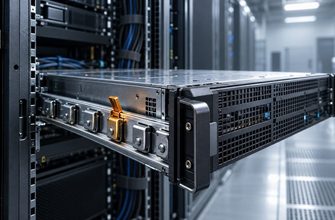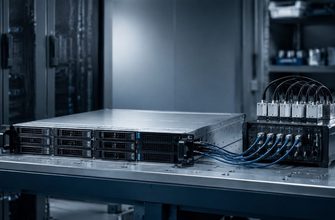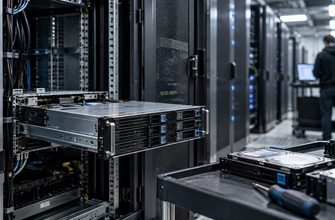
Remote hands is the physical intervention layer between your operations team and a rented dedicated server. It may cover a reboot and cable check, or it may provide qualified technicians for component swaps, console access, media handling, and guided diagnostics. Before an incident, establish exactly what the service includes, how quickly work begins, how instructions are authorized, and what each task costs.
- Decide what you need remote hands to solve
- The remote hands checklist
- 1. Define the service boundary
- 2. Verify support hours and access
- 3. Separate the incident clocks
- 4. Build a safe authorization process
- 5. Prepare instructions before the outage
- 6. Require evidence and change records
- 7. Understand the complete price
- 8. Connect remote hands to the SLA
- 9. Test the process during deployment
- Incident request template
- Common remote-hands mistakes
- Final recommendation
Decide what you need remote hands to solve
List the incidents that cannot be resolved through the operating system, customer portal, or out-of-band management interface. Typical examples include checking link lights, reseating a cable, replacing a failed disk, attaching installation media, reading a chassis indicator, or moving a connection to a documented port.
Classify each task by urgency and risk. A visual inspection is low impact. Replacing storage, moving network cables, or power-cycling a production server can interrupt service or destroy evidence. The provider should not have to interpret an improvised chat message during an outage.
The remote hands checklist
| Area | What to confirm | Operational risk |
|---|---|---|
| Coverage | Supported tasks, prohibited work, and technician skill level | The provider rejects the request during an incident |
| Availability | Staffed hours, holidays, and emergency access | No physical help when the server fails |
| Timing | Acknowledgement, dispatch, and work-start targets | A fast reply hides a long queue |
| Authorization | Approved contacts and confirmation rules | Unauthorized or delayed intervention |
| Evidence | Photos, serial verification, timestamps, and work notes | No reliable record of what changed |
| Pricing | Minimum charge, billing unit, parts, and after-hours fees | Unexpected incident cost |
1. Define the service boundary
Ask for a written task list rather than relying on the phrase “remote hands included.” Confirm whether technicians may open the chassis, replace customer-owned components, connect a crash cart, mount virtual or physical media, label cables, change switch ports, or package failed hardware.
Separate basic remote hands from advanced or smart hands. The names are not consistent across providers. What matters is whether the assigned technician is expected to follow precise physical instructions or independently diagnose systems and networks.
Clarify what remains your responsibility. Provider staff may replace a disk but decline to rebuild an array, reinstall the operating system, restore data, or validate the application. Record the handoff point between physical work and your remote recovery procedure.
2. Verify support hours and access
A data center may operate continuously while remote-hands work is limited by staffing, contract tier, or task type. Verify whether the quoted service is available around the clock and whether after-hours work requires an emergency rate or separate approval.
Ask whether technicians are permanently on site or dispatched from another location. If dispatch is required, identify the target for arrival—not just ticket acknowledgement. Check whether severe weather, local holidays, or restricted maintenance windows change the commitment.
3. Separate the incident clocks
Remote-hands timing usually contains several stages:
- Acknowledgement: the request reaches the support system.
- Validation: support confirms authorization and instructions.
- Assignment: a technician accepts the task.
- Work start: the technician reaches the correct rack and begins.
- Completion: the requested physical action is finished and reported.
A commitment to respond says little about the time to physical intervention. Ask which stages have contractual targets, when clocks pause, and whether the provider supplies progress updates for priority incidents.
4. Build a safe authorization process
Configure at least two authorized contacts and verify how the provider authenticates them. Decide which actions may proceed from a ticket and which require secondary confirmation. High-impact requests—power removal, storage replacement, cable movement, or media destruction—deserve stricter approval.
Do not include reusable passwords or private keys in ordinary tickets. Give technicians only the information needed for the physical task. If console credentials are required, use a controlled temporary-access process and rotate them afterward.
Document who may approve extra charges. A technician should not be left waiting during a critical outage because the only purchasing contact is unavailable.
5. Prepare instructions before the outage
Create a physical runbook for each server. It should identify the rack position, chassis, power feeds, network ports, cable labels, storage bays, and expected indicator state. Use the provider’s asset identifiers as well as your own.
Write instructions as short, verifiable steps. Each risky action should include a stop condition. For example, require the technician to confirm the chassis identifier and disk bay before removal, then wait for approval if the observed layout does not match the record.
A useful task request contains:
- The exact asset and location.
- The business priority and impact.
- The permitted action and prohibited alternatives.
- The expected physical state before and after the action.
- The evidence required at each checkpoint.
- The contact who can answer questions immediately.
6. Require evidence and change records
For component or cabling work, request timestamps and a concise completion report. Where policy permits, ask for before-and-after photographs that show the relevant bay, port, indicator, or cable label without exposing unrelated customer infrastructure.
For replaced hardware, record part identity, health observations, disposition, and whether the old component remains available for analysis. Storage media requires special handling: confirm failed-drive retention, secure destruction, shipping, and chain-of-custody options before failure occurs.
Update your configuration record after every intervention. Otherwise the next technician may act from an obsolete rack diagram.
7. Understand the complete price
Remote-hands pricing may include a monthly allowance, per-request fee, minimum billing period, hourly increment, emergency surcharge, or separate charges for parts and shipping. Ask whether time spent validating instructions, waiting for customer replies, or retrieving equipment is billable.
Estimate the cost of several realistic incidents rather than comparing hourly rates alone:
- A five-minute visual inspection.
- An after-hours cable reseat.
- A failed-disk replacement requiring two approval checkpoints.
- A two-hour guided diagnostic session.
- Packaging and shipping a retained component.
If approval is required after a cost threshold, set that threshold and escalation path in advance.
8. Connect remote hands to the SLA
Determine whether remote-hands timing is part of the server SLA, a support-tier target, or a best-effort service. Hardware replacement commitments may begin only after diagnosis confirms a failed component; remote-hands queue time may sit outside that clock.
Use the dedicated server SLA checklist to compare acknowledgement, response, repair, and restoration language. Ask whether missed remote-hands targets qualify for service credits and whether planned work has different timing from emergency work.
9. Test the process during deployment
Before production, open a low-risk test request. Ask the provider to verify a harmless physical detail or provide a permitted chassis observation. Measure acknowledgement, assignment, execution, communication quality, and reporting.
Also test the alternatives. Confirm that the remote console works, power controls are correctly mapped, and emergency contacts can access the account. These checks belong in the broader dedicated server deployment process.
The purpose is not to create unnecessary work. It is to discover authorization errors, missing asset records, unclear billing, and inaccessible contacts before a real outage.
Incident request template
- State the exact server and provider asset identifier.
- Describe the observed problem without prescribing an uncertain diagnosis.
- Request one bounded physical action.
- List the verification required before the action.
- Define the stop condition and approval contact.
- Request completion evidence and timestamps.
- Record the result in the internal incident timeline.
Common remote-hands mistakes
- Assuming 24/7 data-center operation means immediate technician availability.
- Confusing ticket response time with physical work-start time.
- Sending ambiguous instructions without an asset or port check.
- Allowing destructive work without a second confirmation.
- Discovering minimum charges and after-hours rates during an outage.
- Failing to update rack and cabling records after intervention.
- Expecting physical replacement to include operating-system or application recovery.
Final recommendation
Select remote hands by its operational clarity, not by whether the phrase appears on the plan page. Before production, obtain the supported-task list, staffed hours, work-start targets, authorization rules, evidence standard, escalation path, and complete pricing model. Then run one low-risk test. When an incident occurs, the technician should receive a bounded instruction, verify the correct asset, perform the approved action, and return evidence without forcing your team to negotiate the process under pressure.