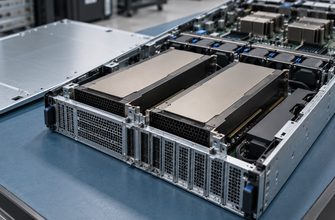

- Dedicated Server Benchmarking Guide: How to Test CPU, RAM, NVMe, Network, and Latency
- A benchmark number without workload context is almost useless.
- What should you benchmark on a dedicated server?
- Establish a clean baseline before testing
- How to benchmark CPU performance
- Per-core performance
- Parallel throughput
- Benchmarking RAM bandwidth and latency
- Benchmark NVMe storage correctly
- Sequential throughput
- Random I/O
- Storage latency
- Test actual network throughput
- Test multiple directions
- Watch server load
- Measure latency, jitter, routing, and packet loss
- Find the real bottleneck
- Overall performance is limited by the slowest relevant layer.
- Workload benchmark scorecard
- What should you prioritize?
- Dedicated server benchmark checklist
- Frequently asked questions
- Benchmark the system, not just the specification sheet.
Dedicated Server Benchmarking Guide: How to Test CPU, RAM, NVMe, Network, and Latency
Benchmarking a dedicated server is not about chasing the highest score. The goal is to understand how the machine behaves under workloads that resemble production: compute, memory, storage, network traffic, and latency-sensitive operations.
A benchmark number without workload context is almost useless.
A server can score well in synthetic tests and still perform poorly for your application. Always combine synthetic benchmarks with tests that resemble the workload you intend to run.
What should you benchmark on a dedicated server?
A useful benchmark plan covers the entire system rather than one component. CPU, memory, storage, networking, and latency all interact.
Single-thread performance, multi-core scaling, sustained load.
Capacity, bandwidth, latency, and NUMA behavior.
Sequential throughput, random IOPS, and latency.
Real throughput, packet handling, upload, and download behavior.
Round-trip time, jitter, packet loss, and routing quality.
Test individual components first, then run application-level tests. This makes it easier to identify whether a bottleneck originates in CPU, memory, disk, network, or software configuration.
Establish a clean baseline before testing
Benchmarks are only useful when the test environment is reasonably controlled and repeatable.
Do not benchmark critical production storage with destructive write tests unless you fully understand the tool and target device.
How to benchmark CPU performance
CPU benchmarking should distinguish between single-thread performance and workloads that can scale across many cores.
Per-core performance
Important for applications where one busy thread becomes the bottleneck.
- Game servers
- Web application workers
- Legacy software
- Latency-sensitive tasks
Parallel throughput
Important for workloads that can use many cores concurrently.
- Virtualization
- Rendering
- Compilation
- Batch processing
lscpu
nproc
cat /proc/cpuinfo | grep "model name" | headBenchmarking RAM bandwidth and latency
Memory performance matters when workloads move large amounts of data between CPU and RAM or depend heavily on low-latency access.
Memory channel population, frequency, CPU architecture, NUMA layout, and BIOS configuration can materially affect performance.
Benchmark NVMe storage correctly
Storage benchmarks should separate sequential throughput from random I/O and latency. A drive can look extremely fast in one test and mediocre in another.
Sequential throughput
MB/s or GB/sLarge continuous reads and writes. Relevant for backups, media, large file movement, and analytics workloads.
Random I/O
Operations/secImportant for databases, virtual machines, metadata-heavy workloads, and applications performing many small operations.
Storage latency
µs / msMeasures how quickly storage responds to each request. Often more meaningful than peak bandwidth for transactional systems.
| Metric | What it measures | Important for |
|---|---|---|
| Sequential read/write | Large continuous transfers | Backups, media, archives |
| Random read IOPS | Small random reads | Databases, VM workloads |
| Random write IOPS | Small random writes | Logging, transactional systems |
| Read latency | Response time for reads | Latency-sensitive applications |
| Write latency | Response time for writes | Databases and persistent queues |
Test actual network throughput
A 1 Gbps or 10 Gbps interface describes the link rate, not guaranteed application throughput.
Test multiple directions
- Server → remote host
- Remote host → server
- Multiple parallel streams
- Multiple geographic locations
Watch server load
- CPU utilization
- Interrupt load
- Packet loss
- Interface errors
Measure latency, jitter, routing, and packet loss
Raw throughput is only one part of network performance. Interactive applications often care more about consistency and latency.
Round-trip time between your server and destination.
Variation in packet delay over time.
Missing packets can severely affect applications and TCP throughput.
The path traffic takes can matter more than physical distance.
Find the real bottleneck
Strong hardware in one area does not compensate for a weak component elsewhere.
Overall performance is limited by the slowest relevant layer.
A fast CPU cannot compensate for slow storage. Extremely fast NVMe cannot fix a saturated network. The useful benchmark is the one that reveals the component limiting your real workload.
Workload benchmark scorecard
Choose a workload to see which benchmark categories deserve the most attention. This block works without JavaScript.
What should you prioritize?
Web applications typically benefit from strong per-core CPU performance, responsive storage, and enough memory for workers and caching.
Database workloads are highly sensitive to storage latency, random I/O behavior, memory capacity, and cache effectiveness.
Game servers often depend on strong per-core performance, stable low latency, low jitter, and consistent packet delivery.
Virtualization hosts need balanced multi-core CPU performance, substantial memory capacity, and responsive storage under concurrent I/O.
Backup and storage servers depend on sustained disk throughput, efficient I/O, and enough network capacity to move large datasets within the required time window.
Compute-heavy workloads should prioritize sustained multi-core CPU performance and sufficient memory bandwidth.
Dedicated server benchmark checklist
Frequently asked questions
What should I benchmark first on a dedicated server? +
Start by verifying the delivered hardware, then establish baseline CPU, memory, storage, network, and latency measurements. After that, run tests that resemble your production workload.
Are synthetic server benchmarks reliable? +
They are useful for establishing baselines and comparing similar systems, but they should not replace application-level testing.
Should I test NVMe IOPS or throughput? +
Both. Sequential throughput matters for large transfers, while random IOPS and latency are often more relevant to databases and virtual machines.
How many times should I repeat a benchmark? +
Important tests should be repeated enough to reveal variance. Large differences between runs can indicate background load, throttling, caching effects, or inconsistent network conditions.
What is the most important dedicated server benchmark? +
The most useful benchmark is the one that reproduces your actual workload closely enough to expose the component limiting production performance.