
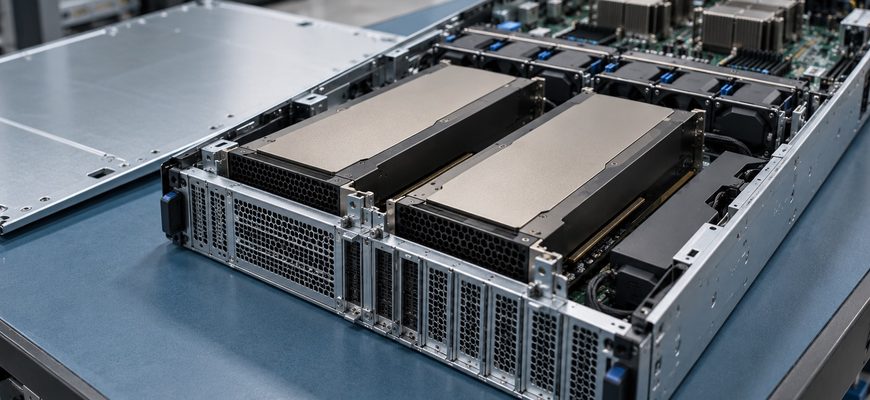
A GPU dedicated server advertised with 48 GB of total GPU memory might contain two 24 GB cards. That distinction matters when you rent a machine for large language model inference: your serving software must explicitly distribute a model across devices. The total in the quotation does not establish whether your intended workload will fit.
Choose the rental around a specific model, its memory format, the context you need, and the requests you must serve together. Then compare configurations that meet those requirements. This article covers inference on a rented server; training and fine-tuning need separate sizing.
- Check memory per GPU before comparing the monthly bill
- Build a weight-storage estimate, then budget for the running service
- Size the GPU dedicated server for context and concurrent requests
- Decide whether additional cards serve one model or more requests
- Put these commitments in the rental quote
- Use an acceptance test that can reject the wrong configuration
- Approve the configuration with a reproducible workload record
Check memory per GPU before comparing the monthly bill
Ask for the exact GPU model, card count, memory per card, and allocation exposed to your operating system. NVIDIA lists 24 GB for the L4 and 48 GB for the L40S. Those are capacity examples, not equivalent performance options or evidence that a particular provider offers them.
When a model fits on one device, starting there avoids a distributed deployment. If it needs several devices, the serving engine must support an appropriate splitting strategy for that model. The vLLM parallelism documentation distinguishes single-GPU execution from tensor and pipeline parallelism.
For a multi-GPU quote, request the actual interconnect and PCIe topology. Do not infer NVLink from a GPU count or product family: NVIDIA specifically lists no NVLink support for the L40S. Require a workload test on the proposed machine before treating a multi-card arrangement as a substitute for a larger individual GPU.
Build a weight-storage estimate, then budget for the running service
Parameter count gives you a first calculation. Multiply the number of parameters by bits per stored parameter, divide by eight, and convert bytes to the unit used in your comparison. Hugging Face’s quantization overview explains how lower-precision weight storage reduces memory requirements.
| Assumed parameter count | All weights at 16 bits | All weights at 4 bits |
|---|---|---|
| 8 billion | 16 GB | 4 GB |
| 32 billion | 64 GB | 16 GB |
| 70 billion | 140 GB | 35 GB |
Calculated using decimal GB: one billion bytes. These simplified figures assume every weight uses the stated precision. They exclude quantization metadata, higher-precision components, runtime allocations, and request-dependent memory. Software may display GiB instead; compare consistent units.
Use the exact checkpoint and quantization format you intend to deploy. Confirm that the GPU and serving engine support it, and evaluate output quality on your application tasks. A smaller weight file is a candidate for testing, not approval to sign a longer rental term.
Your rental worksheet needs four separate entries: model weights, serving-engine overhead, request-dependent memory, and remaining headroom under the test load. Have the person responsible for the inference stack populate them from the proposed configuration. An arbitrary percentage cannot replace a measured operating envelope.
Size the GPU dedicated server for context and concurrent requests
A short demonstration prompt can succeed while a production request exhausts available memory. For common autoregressive transformer models, the key-value cache stores attention information from earlier tokens. Hugging Face’s cache guide explains how cache strategies trade memory against other execution characteristics.
Longer active sequences and more simultaneous sequences can increase the cache demand; the exact relationship depends on model architecture and engine behavior. Sliding-window or other bounded caches behave differently from an unrestricted full-attention cache. Weight quantization also does not establish the precision used for the cache.
Put three workload limits in the request for quotation: maximum input length, maximum generated output, and expected simultaneous active requests. Include retrieved documents and conversation history in the input allowance. Distinguish active requests from customers who merely have an account.
Set a queueing and rejection policy before testing. If the service meets its memory budget only by admitting fewer requests, record that limit and its effect on waiting time. Otherwise, a configuration can appear stable while failing the response-time requirement that justified renting it.
Decide whether additional cards serve one model or more requests
Specify the role of each card in the order. Splitting one model across GPUs addresses a different requirement from running independent copies that receive separate requests. Ask whoever operates the serving stack to document the chosen arrangement and its per-device memory use.
Illustrative scenario: two rental quotes offer either two 24 GB GPUs or one 48 GB GPU. Assume the selected model needs more than 24 GB but less than 48 GB for its weights alone. It cannot run entirely on either smaller card without changing the execution arrangement. The larger card is a candidate for testing; its remaining memory still has to support the runtime and requests.
If the provider offers the two-card option, request evidence for the supported distributed setup. If you instead choose a smaller model that fits individually on each card, independent instances may be worth evaluating. Neither route establishes throughput or latency until the intended workload is measured. Compare the resulting usable service capacity against the recurring charge.
Put these commitments in the rental quote
- Resource allocation
- Exact GPU model, count, per-device memory, and whether you receive exclusive physical GPUs, a partition, or virtual GPU profiles. Confirm whether the complete host is dedicated to your tenancy.
- Supported configuration
- Operating system, driver ownership, supported serving stack, topology evidence, and any software charges. Identify who investigates an application memory failure versus a physical GPU fault.
- Acceptance window
- When billing starts, whether a trial is available, how long configuration validation is allowed, and what happens if the delivered machine differs from the order. Do not assume a refund or cancellation right.
- Change and recovery path
- Whether moving to a larger-memory GPU requires another server, fresh provisioning, data transfer, or overlapping rental periods. Ask about replacement equipment and the process for revalidating the workload.
Keep CPU, host RAM, storage capacity, and connectivity in the same quotation. Allow space for the checkpoints you retain, logs, and deployment artifacts. Check the download path for initial provisioning and recovery. These resources still need sizing even when GPU memory drives the configuration decision.
Turn “managed GPU server” into named responsibilities using the managed dedicated server support guide. Driver updates, container compatibility, inference tuning, and restoring a working application should each have an owner before production begins.
Use an acceptance test that can reject the wrong configuration
Agree on pass conditions before committing beyond any evaluation period. Extend the pre-production server acceptance process with a GPU-specific record:
- Confirm delivery. Record the exposed GPU identities and memory allocation, topology, system resources, and software versions. Resolve differences from the order before interpreting performance.
- Load the exact deployment. Keep the checkpoint revision, quantization, context limits, and serving settings fixed across candidate rentals. Verify application output quality as well as successful startup.
- Exercise representative requests. Test typical and maximum supported input and output lengths, then the planned concurrent load. Capture memory failures, queue growth, time to first token, generation speed, and end-to-end latency.
- Validate repeatability. Restart the service and repeat the agreed workload. Confirm model retrieval, monitoring, and recovery ownership. Save results with the configuration so later changes have a baseline.
For vLLM, startup logs report GPU KV-cache token capacity and an estimated concurrency figure tied to the configured maximum sequence length. Use these as diagnostic evidence, not a latency guarantee. A load test must still show whether your service meets its own limits.
No universal tokens-per-second target or spare-memory percentage fits every rental. Define thresholds from the application: acceptable waiting time, required response latency, tolerated error rate, and expected growth. A configuration passes when it meets those thresholds with the intended model and service policy.
Approve the configuration with a reproducible workload record
Choose a GPU dedicated server only after you can name the per-GPU allocation, explain the execution arrangement, and reproduce the required request load. Keep the quote, workload definition, test results, support ownership, and upgrade terms together. If memory only works after shortening context or reducing concurrency, approve those product limits explicitly before committing to the server.